Browse
Week 9 voting is open

The best Claude prompts, ranked by you every week.

Free, copy-ready prompts with a preview of what each one produces. Vote for the ones you actually use, and watch the top ten change every week.
[Nov 9 to Nov 15]

Top 3 this week

0 votes so farRestarts in --D --H --M --S
  1. [01] first place0 votes this week
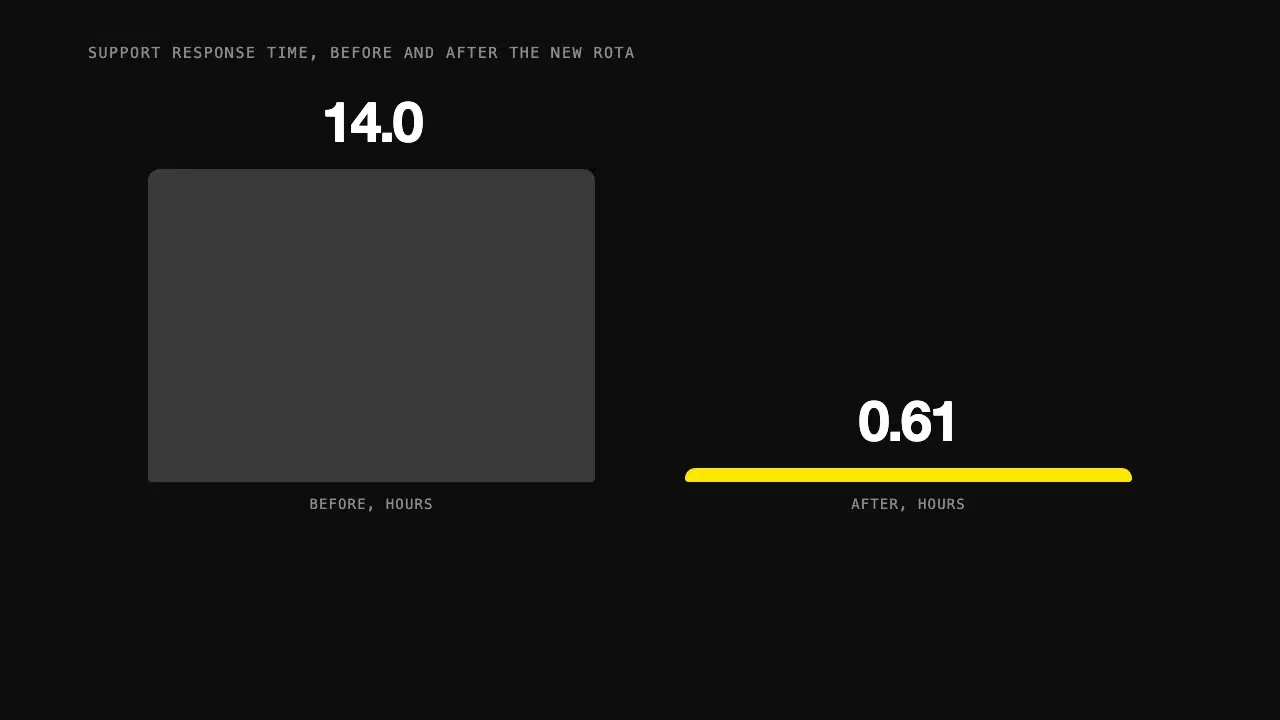
    Video outputAn animated chart building up a comparison of two bars over a few seconds, with a counter ticking up to the final figure and a caption stating the finding

    Animate a number so people feel it

    Give Claude one statistic and its context, and get a short animated visual in HTML that builds the number up step by step instead of just showing it.

  2. [02] second place0 votes this week
    Text output

    Prices Fact Detail Source Unit price EUR 4.20 per unit for the first 10,000 units Section 3.1, "Pricing" Volume discount EUR 3.85 per unit above 10,000 units in a calendar year Section 3.1, "Pricing" Setup fee EUR 1,500...

    Pull the facts out of this document

    Turn a long report, contract or transcript into a structured list of facts, numbers and dates, each with a pointer back to where it came from.
  3. [03] third place0 votes this week
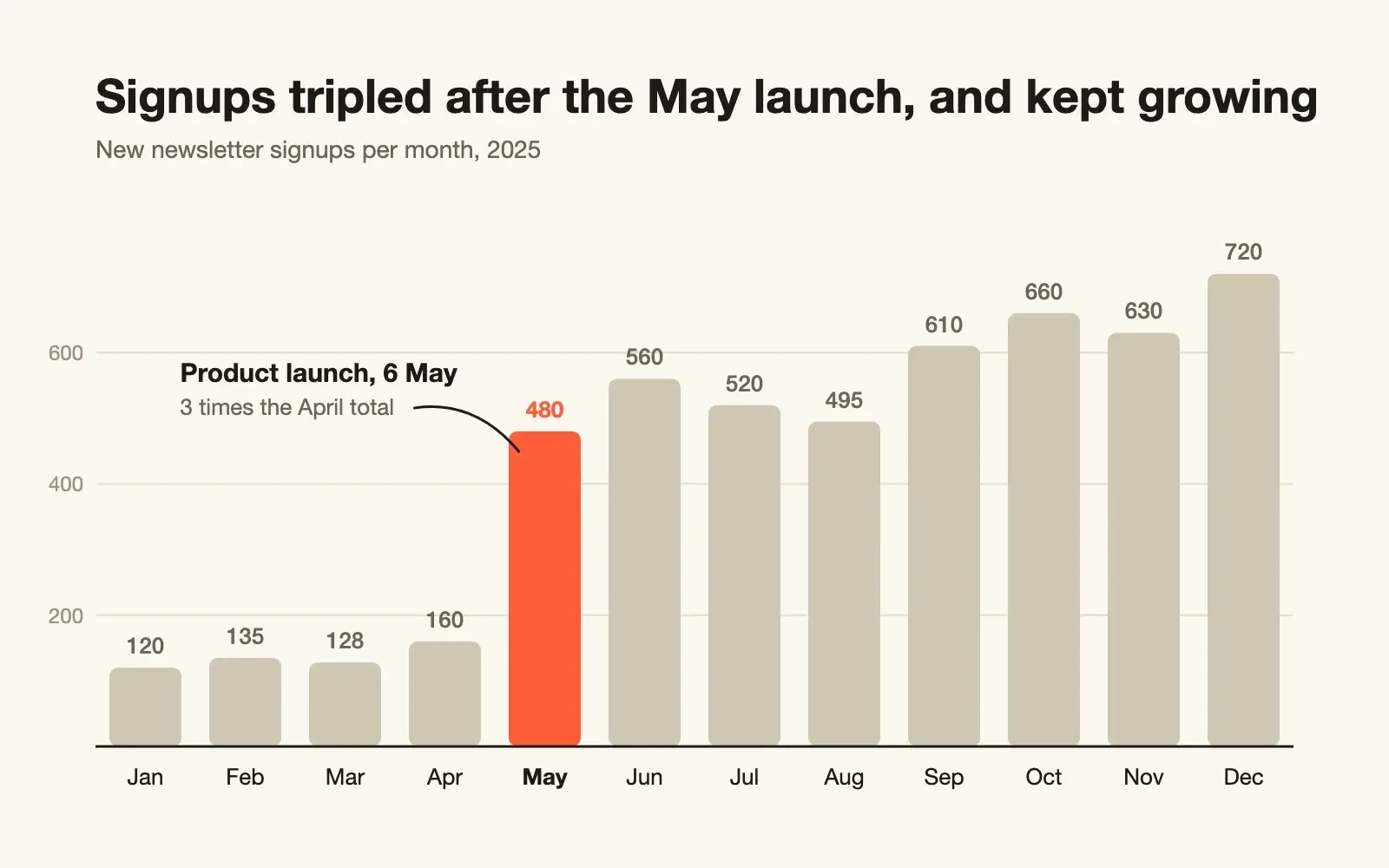
    Image outputA bar chart of monthly newsletter signups from January to December, with the launch month highlighted and labelled

    Turn a CSV into a clean chart

    Paste raw CSV and get a clean SVG chart with sensible scales, labels on the data, and a title that says what the chart shows.

Week 9Updates every minute

The weekly top 10

Tap the heart to vote. One vote per prompt, per week.

  1. 01
    An animated chart building up a comparison of two bars over a few seconds, with a counter ticking up to the final figure and a caption stating the finding
    New
  2. 02

    Prices Fact Detail Source Unit price EUR 4.20 per unit for the...

    New
  3. 03
    A bar chart of monthly newsletter signups from January to December, with the launch month highlighted and labelled
    New
  4. 04

    Subject lines your new checkout question about mobile carts one...
    New
  5. 05
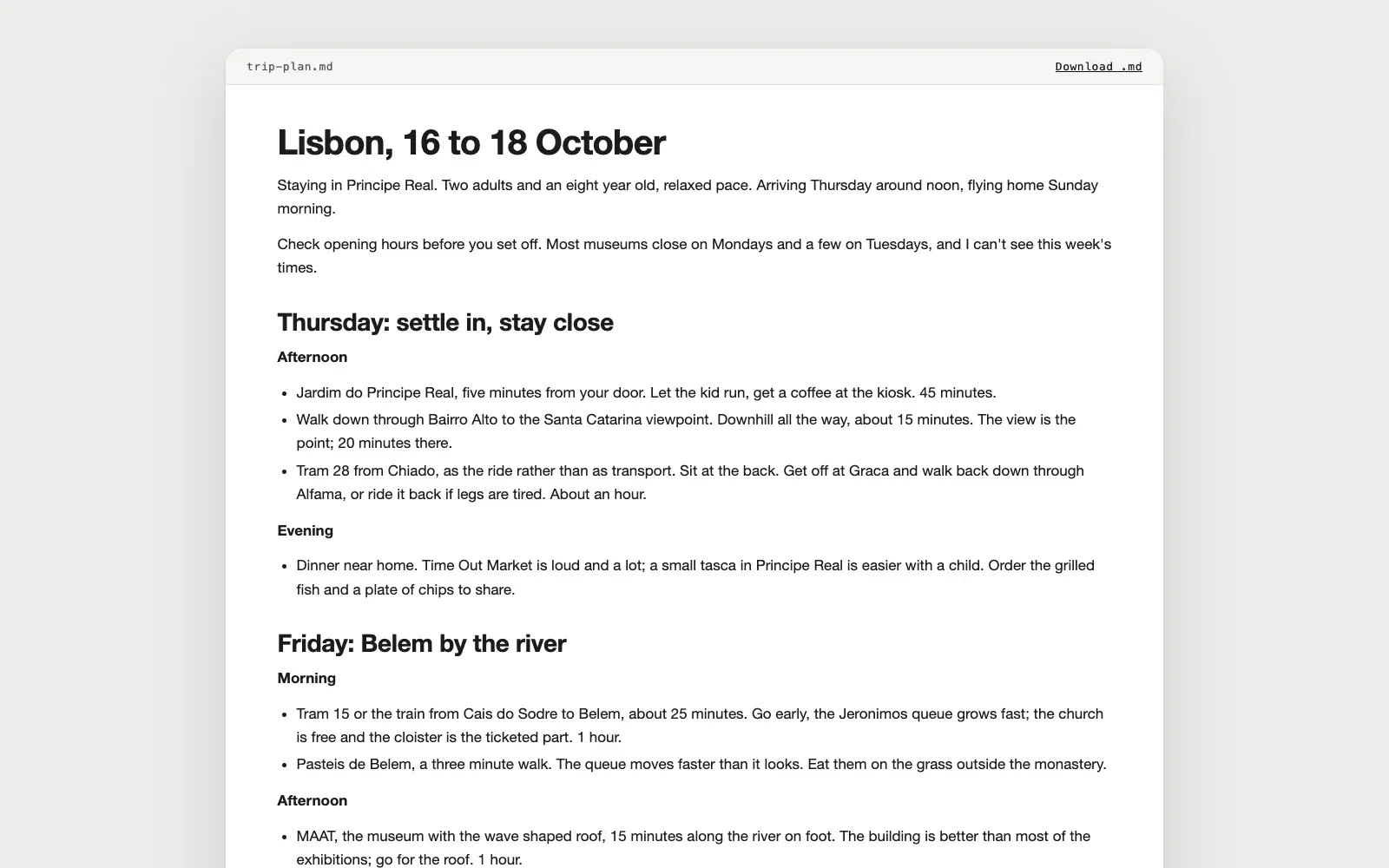
    A rendered three day trip plan for Lisbon with a heading per day, morning, afternoon and evening stops with one line on why each is worth it and how to get there, a rainy day swap section and a skip it list at the end
    New
  6. 06

    Subject: Re: Offer for Senior Product Designer Hi Priya, Thank you...
    New
  7. 07
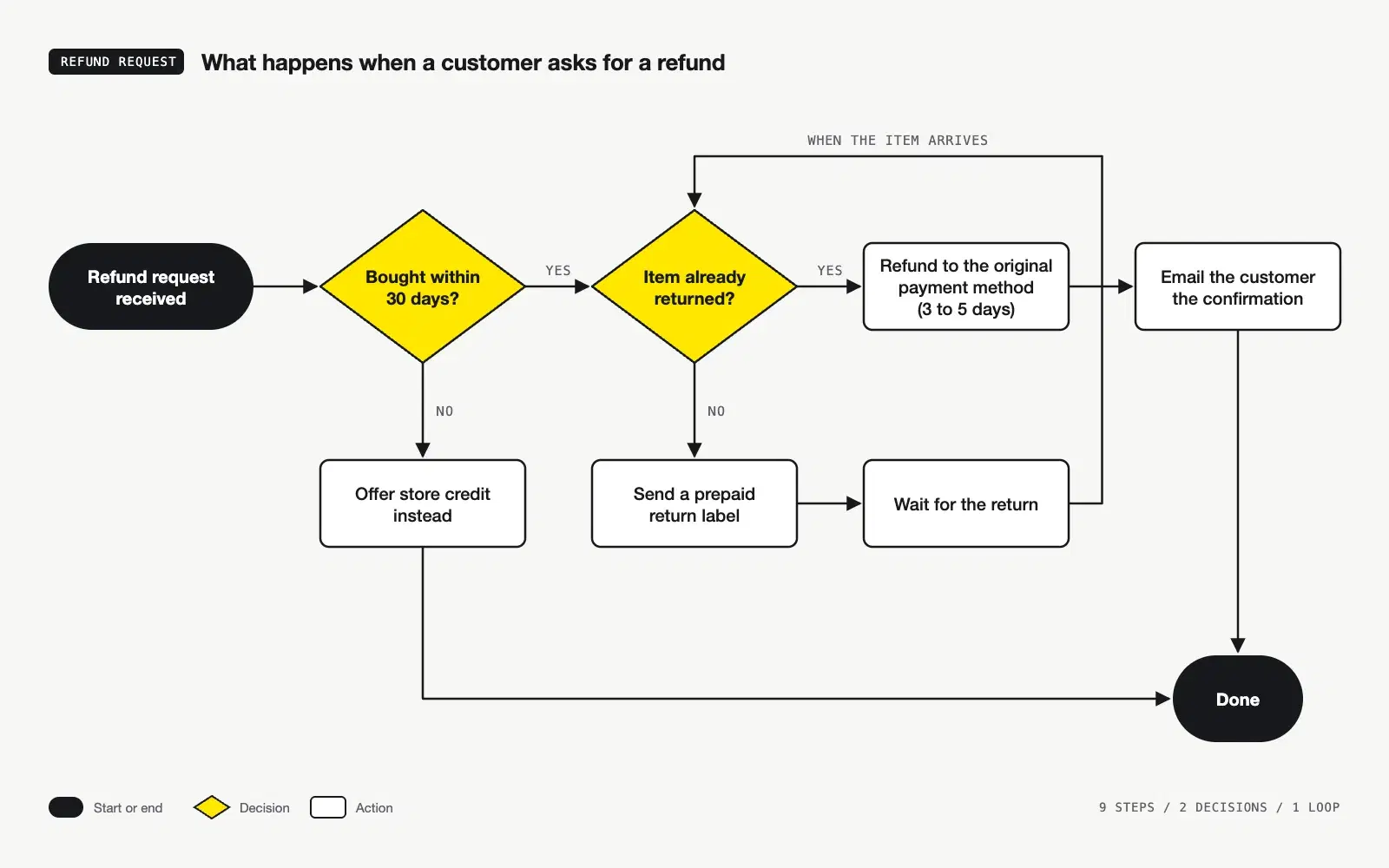
    A flowchart of a refund request read left to right on a light background, with a black start pill, two yellow decision diamonds labelled yes and no, white action boxes for the store credit, the return label, the refund and the confirmation email, a loop that returns to the second decision when the item arrives, both branches ending in a black Done pill, and a small legend of the shapes
    New
  8. 08
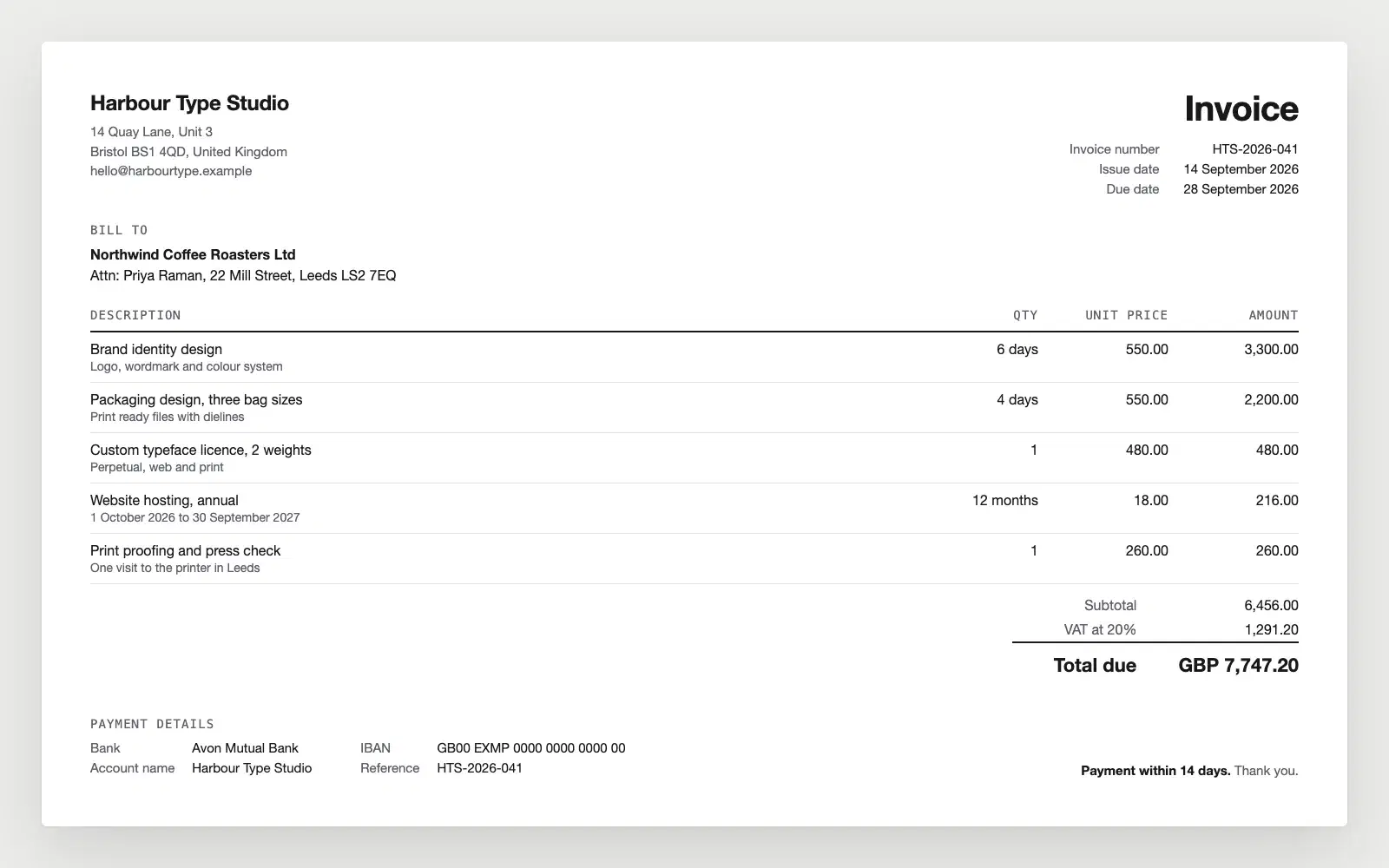
    An invoice from a small design studio on a white sheet, with the sender's address top left, the invoice number, issue date and due date top right, a bill to block, five line items with quantities and amounts in aligned columns, a subtotal, VAT and the total due in bold, and the bank details, payment reference and a 14 day payment note at the bottom
    New
  9. 09
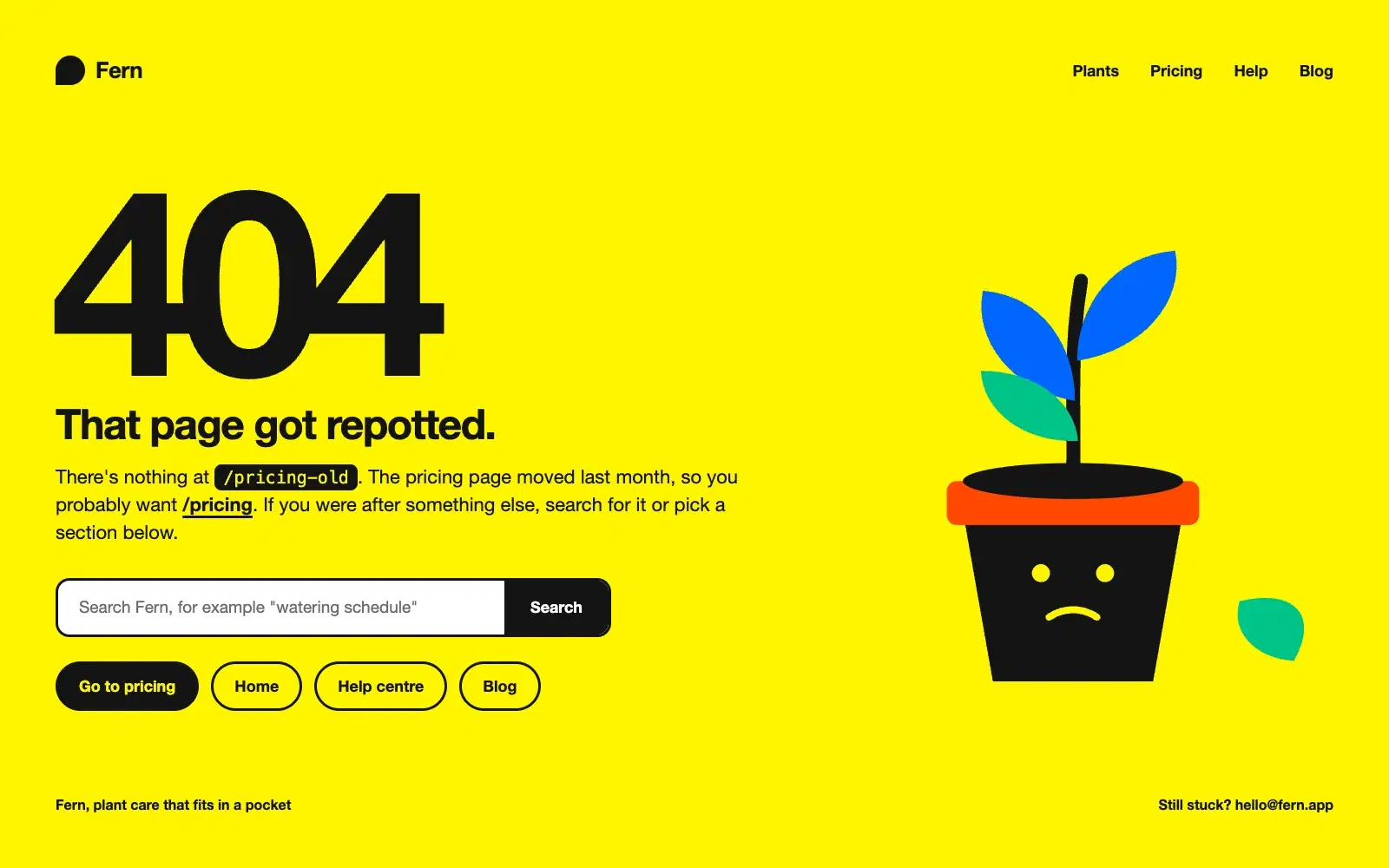
    A bright yellow 404 page for a plant care app called Fern, with a huge 404 and the headline "That page got repotted", a line saying there is nothing at /pricing-old and that the visitor probably wants /pricing, a search field, four pill links, and a flat illustration of a sad plant pot with a fallen leaf
    New
  10. 10
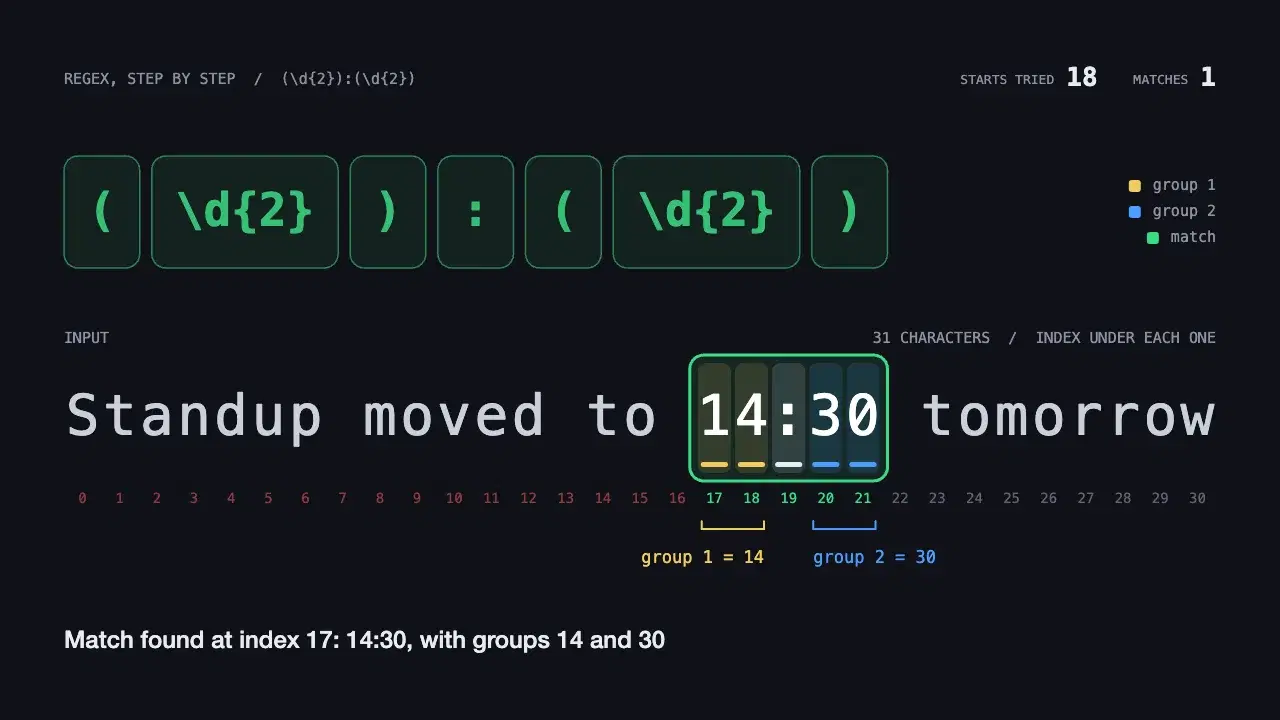
    A dark editor view with the pattern (\d{2}):(\d{2}) split into chips along the top and the string "Standup moved to 14:30 tomorrow" in cells below, a cursor scanning past the failing starts, each token then consuming its characters at 14:30, a green box around the match with group 1 = 14 and group 2 = 30, and a caption explaining each step
    New

Three steps, no sign-up

  1. [01] Copy

    Pick a prompt and copy it

    Every prompt page has one button that copies the full text. Nothing is hidden behind a login.

  2. [02] Fill in

    Replace the blanks

    Placeholders are written in capital letters inside brackets and highlighted in yellow, so you can see what to change.

  3. [03] Vote

    Run it, then vote

    Paste it into Claude. If the result was useful, give the prompt a vote so that other people find it too.

From the blog

All articles
2 min read

How the weekly ranking works

One vote per prompt, a fresh count every Monday, and a simple tie-break. Everything about how prompts reach the top three, in plain words.

2 min read

How to use XML tags in Claude prompts

Wrapping parts of your prompt in simple tags is one of the easiest ways to get more reliable answers from Claude. A practical guide with examples.

Questions

More on the about page
How does a prompt reach the top three?

Visitors vote for the prompts they find useful, one vote per prompt each week. The three prompts with the most votes this week take places one, two and three. The count restarts every Monday at 00:00 UTC, so new prompts always get a fair run.

Are the prompts free to use?

Yes. Copy any prompt, replace the placeholders in capital letters with your own details, and paste it into Claude. You can change them as much as you like.

What are the previews?

Every prompt shows an example of what it produces: formatted text, an image or a short video. Answers from an AI model vary from run to run, so treat the preview as an illustration of what to expect.

Do I need an account to vote?

No. Your browser gets an anonymous ID, which lets us count one vote per prompt per week. We do not ask for your name or email.

Is this an official Anthropic website?

No. This site is an independent fan project. It is not affiliated with or endorsed by Anthropic. Claude is a trademark of Anthropic, PBC.