How to use XML tags in Claude prompts
Wrapping parts of your prompt in simple tags is one of the easiest ways to get more reliable answers from Claude. A practical guide with examples.
Turn a long report, contract or transcript into a structured list of facts, numbers and dates, each with a pointer back to where it came from.
Extract the facts from this document. I'll use them for [WHAT YOU'RE DOING WITH THEM, e.g. a comparison of three suppliers].

What I care about most: [TOPICS, e.g. prices, delivery times, cancellation terms]

<document>
[PASTE THE DOCUMENT]
</document>

Rules:
- Only facts that are actually in the document. No inferences, no "probably".
- Every fact gets a pointer to where you found it: a section name, a heading, or a short quote.
- Keep numbers exactly as written, with their units and currencies.
- If the document contradicts itself, list both versions and mark the contradiction.
- If something I care about isn't covered at all, say so explicitly. A gap is a finding.

Format: one table per topic I listed, with the columns Fact, Detail, Source. Then a short section called "Not covered" and one called "Unclear".
| Fact | Detail | Source |
|---|---|---|
| Unit price | EUR 4.20 per unit for the first 10,000 units | Section 3.1, "Pricing" |
| Volume discount | EUR 3.85 per unit above 10,000 units in a calendar year | Section 3.1, "Pricing" |
| Setup fee | EUR 1,500, charged once | Section 3.2 |
| Price review | Prices can be revised "with 60 days written notice" | Section 3.4 |
| Fact | Detail | Source |
|---|---|---|
| Standard lead time | 15 working days from order confirmation | Section 5, "Delivery" |
| Express option | 7 working days, "subject to availability", +25% on the unit price | Section 5.2 |
| Contradiction | The cover letter says "delivery within two weeks"; the contract says 15 working days (three weeks) | Cover letter, paragraph 2, and Section 5 |
| Fact | Detail | Source |
|---|---|---|
| Notice period | 90 days, in writing | Section 9.1 |
| Early termination fee | "the remaining minimum commitment for the current year" | Section 9.3 |
| Minimum commitment | Not stated as a number anywhere in the document | Section 9.3 refers to it, no section defines it |
NoteThis is an example. Results change between runs and model versions. Claude Prompts is a fan project and is not affiliated with Anthropic.
Supplier quotes, lease agreements, insurance documents, long meeting transcripts, research reports. Anything you'd otherwise read twice with a highlighter. It's also a decent way to compare several documents: run it on each with the same topics, and you get tables that line up.
List your topics in the order you want the tables. Be concrete, because "costs" gets you everything with a number in it, while "unit price, setup fees, price increases" gets you what you actually need. Very long documents are better in two or three chunks, with the same topic list each time.
The source column exists so that you can verify anything that matters before you act on it. Spot-check a few rows against the original, especially numbers. Read "Not covered" as carefully as the tables: a contract that says nothing about payment terms is telling you something.
Use the copy button above. The full text is included, nothing is cut off.
Everything highlighted in yellow is a placeholder. Swap it for your own topic, audience or data.
If the result helped, press the heart. Votes decide which prompts make the weekly top 10.
Summary. The launch moves from 2 October to 9 October so the checkout bug can be fixed properly. Marketing keeps the original date for the teaser email. Decisions Launch day is now 9 October. The teaser email still goes out on...
Turn messy notes or a transcript into decisions, a task table with owners and dates, the open questions, and a message for the team channel.
Everything fits except the conference talk outline, which I've pushed to the following week (see the note at the end). Monday Morning (your best hours) 8:30 to 10:00 write the Q4 proposal draft. 10:15 to 11:00 keep going, or...
Give Claude your tasks, your fixed appointments and when you actually have energy, and get a week plan that puts hard work where you can do it.
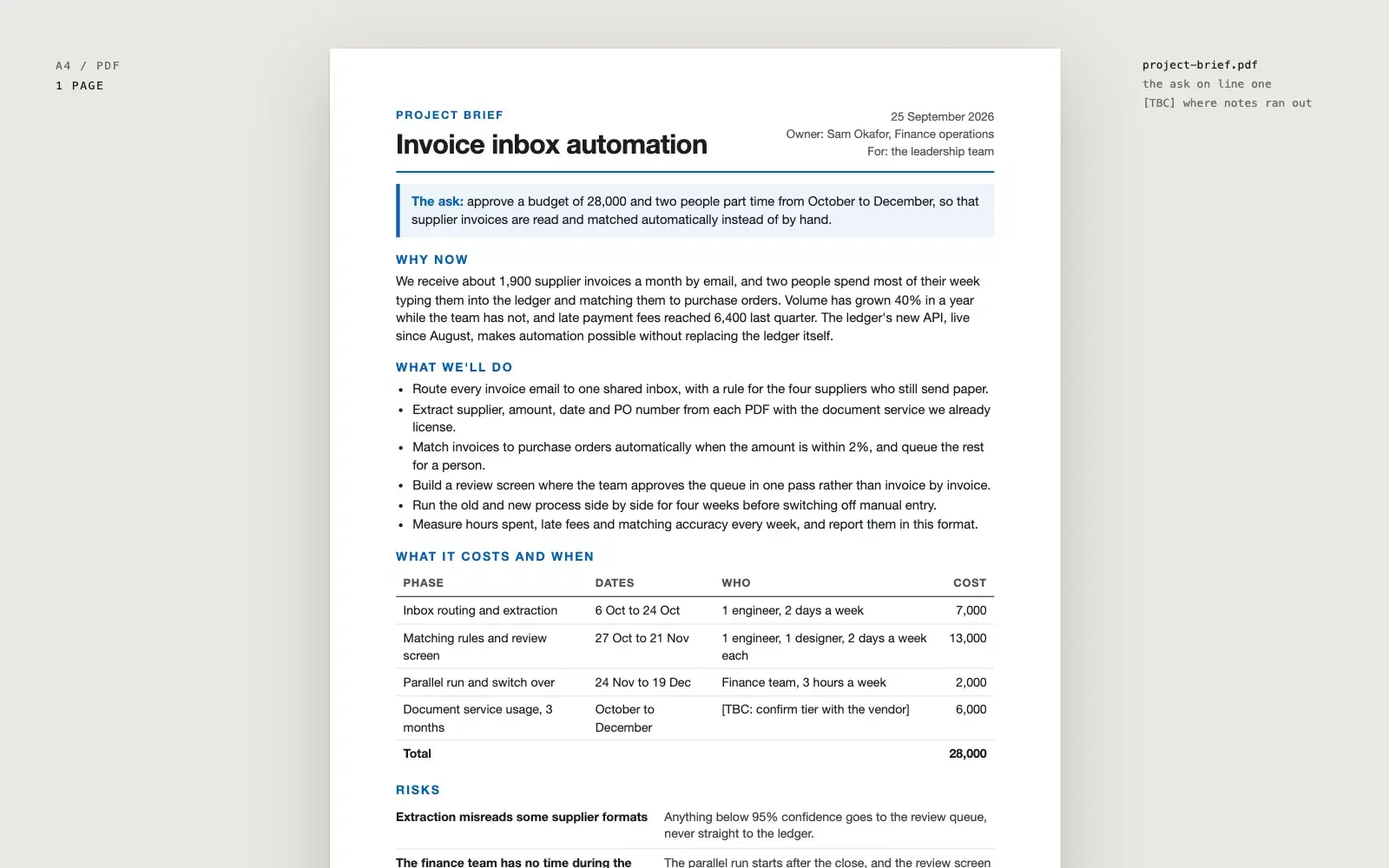
Paste your notes and get a one page project brief as a PDF, with the decision you need stated at the top, a short why now, verb-led bullets, a phase table and honest risks.
Wrapping parts of your prompt in simple tags is one of the easiest ways to get more reliable answers from Claude. A practical guide with examples.
None of these cause an error message. They just make every answer a little worse. Here is how to spot each one and what to write instead.