Seven prompt mistakes that quietly ruin your results
None of these cause an error message. They just make every answer a little worse. Here is how to spot each one and what to write instead.
Give Claude the facts about your project and get a README in Markdown that starts with install and first run, explains how it works in five sentences, and says honestly when not to use it.
Write the README for this project. Someone should be able to go from landing on the repo to running it in five minutes.

What it is: [ONE LINE]
Who it's for: [e.g. developers who maintain Node projects]
How to install: [COMMANDS]
The one command that shows it working: [COMMAND AND WHAT IT PRINTS]
Things people get wrong: [LIST, or "not sure yet"]
Licence: [MIT, Apache 2.0, etc.]

Structure:
- One sentence at the top saying what it does and for whom. No badges above it.
- "Install" and "First run" as the first two sections. Real commands in code blocks, with the expected output under them.
- "How it works" in five sentences or fewer.
- "Options" as a table if there are more than three, otherwise a list.
- "When not to use it": two or three honest cases.
- Contributing and licence at the end, short.

Write it in plain sentences. No "blazing fast", no emoji, no marketing. If I didn't give you a fact, leave a placeholder like [TODO: ...] rather than inventing one.
Finds the dependencies in a Node project that nothing imports any more, and removes them if you ask it to. For people who maintain projects that have been around long enough to collect some.
npm install --save-dev depsweep
Or run it without installing:
npx depsweep scan
Node 18 or newer. No other requirements.
From the root of your project:
$ depsweep scan
Scanning 142 files in ./src ...
Found 3 unused dependencies:
  lodash      last imported 14 months ago
  moment      no imports found
  left-pad    no imports found
Run "depsweep remove" to uninstall them.
Nothing is changed by scan. When the list looks right:
$ depsweep remove --yes
Removed lodash, moment, left-pad
package.json and yarn.lock updated
Saved 4.2 MB from node_modules
Without --yes it asks before touching anything.
depsweep reads every import and require in the folders listed in your package.json files field (or ./src when there is none). It compares that list with dependencies and devDependencies. A package with no imports is reported as unused. Packages that are used only by config files, scripts or other tools are listed under "possibly used" instead, and never removed automatically. The "last imported" date comes from your git history.
| Option | What it does | Default |
|---|---|---|
--dir <path> |
Folder to scan, repeatable | ./src |
--ignore <name> |
Keep a package even if it looks unused, repeatable | none |
--json |
Print the result as JSON for other tools | off |
--yes |
Skip the confirmation on remove |
off |
require(variable)). depsweep cannot follow those.Open an issue before a large change so we can talk about it. Run npm test before you push; the suite takes about ten seconds.
MIT. See LICENSE.
NoteThis is an example. Results change between runs and model versions. Claude Prompts is a fan project and is not affiliated with Anthropic.
Most READMEs open with a paragraph about philosophy, then badges, then a feature list, and the install command is somewhere around the second screen. The structure in this prompt puts "Install" and "First run" at the top, with the real output under each command, so a visitor can tell in a minute whether the tool does what they need. Everything else comes after, and most people never read it. That's fine.
The single most useful thing you can paste into the prompt is what the tool actually prints on a first run. Claude uses it verbatim under the command, and a reader comparing their screen to the README knows at once whether things worked. If you paste nothing, you get a placeholder, which is the honest alternative.
"When not to use it" is the part maintainers skip and readers remember. Two or three real limitations, stated plainly, save a lot of issues from people who tried the tool on the wrong thing. If you don't know the limitations yet, say so in the prompt and Claude leaves a [TODO] rather than inventing a reassuring sentence.
The output is a Markdown file. Drop it in the repo as README.md, and the rendered version on this page is what people will see on GitHub, near enough.
Use the copy button above. The full text is included, nothing is cut off.
Everything highlighted in yellow is a placeholder. Swap it for your own topic, audience or data.
If the result helped, press the heart. Votes decide which prompts make the weekly top 10.
In one paragraph. This is a bookings app for small gyms. A React front end talks to an Express API in /server. Data lives in Postgres and is accessed through Prisma. Anything slow (emails, PDF invoices) goes through a job...
Paste a file tree and a few key files and get the tour a senior engineer would give you: how a request flows, where things live, what to avoid.
What the error means. Cannot read properties of undefined (reading 'map') means orders was undefined at the moment the component rendered. The array never arrived, or it arrived under a different name. Most likely causes 1...
Stops Claude from patching symptoms. It ranks the likely causes, tells you what to check first, and only then writes the fix.
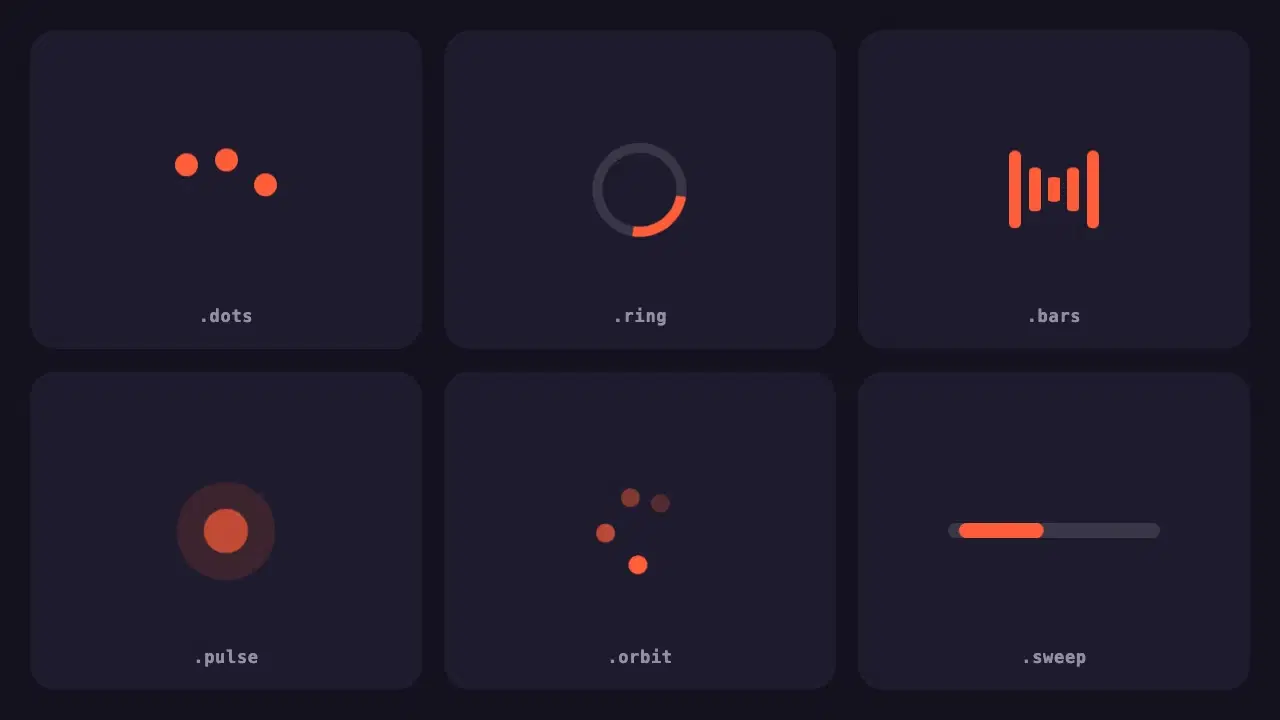
Six lightweight loading indicators in pure CSS. Each has a reduced motion fallback, and one variable changes the colour of all of them.
None of these cause an error message. They just make every answer a little worse. Here is how to spot each one and what to write instead.
Most disappointing answers come from prompts that are missing one of five parts. Here is what each part does, with a before and after you can copy.