The anatomy of a Claude prompt that works the first time
Most disappointing answers come from prompts that are missing one of five parts. Here is what each part does, with a before and after you can copy.
Describe your product's first five minutes and get a walkthrough script with three or four short steps, each with a title, a line of copy and a reason to keep going.
Write the in-app walkthrough for new users of my product.

Product: [WHAT IT IS, ONE SENTENCE]
The first thing a new user should achieve: [e.g. send their first invoice, create their first board]
The screen they land on: [DESCRIBE IT BRIEFLY, OR PASTE THE MAIN LABELS ON IT]
Voice: [e.g. friendly and short, no jokes]

Rules:
- Three or four steps, no more. Each step points at one thing on the screen.
- Every step has a title of five words or fewer, one sentence of copy, and a button label.
- Each step should give a reason to continue, not just describe a feature. "Find any invoice in two seconds" beats "This is the search bar".
- The last step ends with the user doing the thing, not reading about it.
- Include the copy for "skip" and for the end state.

Then give me a single HTML file with a mock of the screen made from grey boxes, and the walkthrough playing through the steps on a timer, with a highlight on each target, so I can feel the flow before it's built.
Four steps that get a new user from a blank screen to their first sent invoice, with a title, one line and a button label each. The HTML preview plays the tooltips over a grey mock of the app so you can judge the order and the pacing.
NoteThis is an example. Results change between runs and model versions. Claude Prompts is a fan project and is not affiliated with Anthropic.
They explain the interface instead of getting the user to a result. Every step in this prompt has to give a reason to keep going, which is what stops it turning into a tour of buttons. The four step limit does the rest.
Decide what the first success is. If you can't name it, the walkthrough can't lead to it. Paste the real labels from your screen so the copy points at things that exist. And choose the voice deliberately, because onboarding is often the first writing a customer reads from you.
Watch the preview once without reading, only looking at where the highlight goes. If the eye jumps around the screen, reorder the steps. Then test it with two people who've never seen the product. If either of them clicks skip, ask them at which step, and cut it.
Use the copy button above. The full text is included, nothing is cut off.
Everything highlighted in yellow is a placeholder. Swap it for your own topic, audience or data.
If the result helped, press the heart. Votes decide which prompts make the weekly top 10.
In one paragraph. This is a bookings app for small gyms. A React front end talks to an Express API in /server. Data lives in Postgres and is accessed through Prisma. Anything slow (emails, PDF invoices) goes through a job...
Paste a file tree and a few key files and get the tour a senior engineer would give you: how a request flows, where things live, what to avoid.
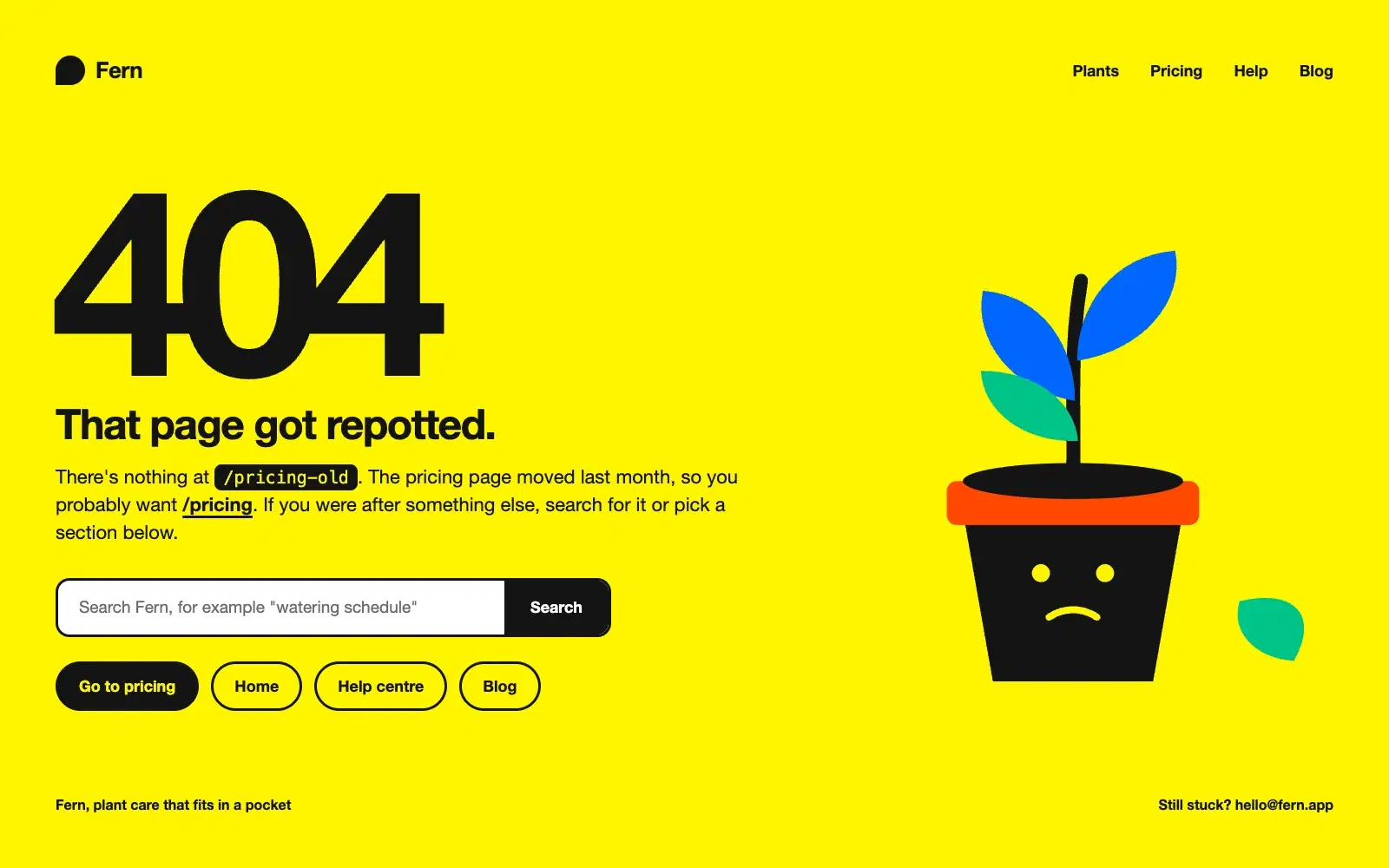
Tell Claude about your site and its tone and get a 404 page as one HTML file that says what happened in plain words, guesses where the visitor wanted to go, and offers a search box and the main sections, with the copy written to match the brand.
Most disappointing answers come from prompts that are missing one of five parts. Here is what each part does, with a before and after you can copy.
One vote per prompt, a fresh count every Monday, and a simple tie-break. Everything about how prompts reach the top three, in plain words.